


Audit Log
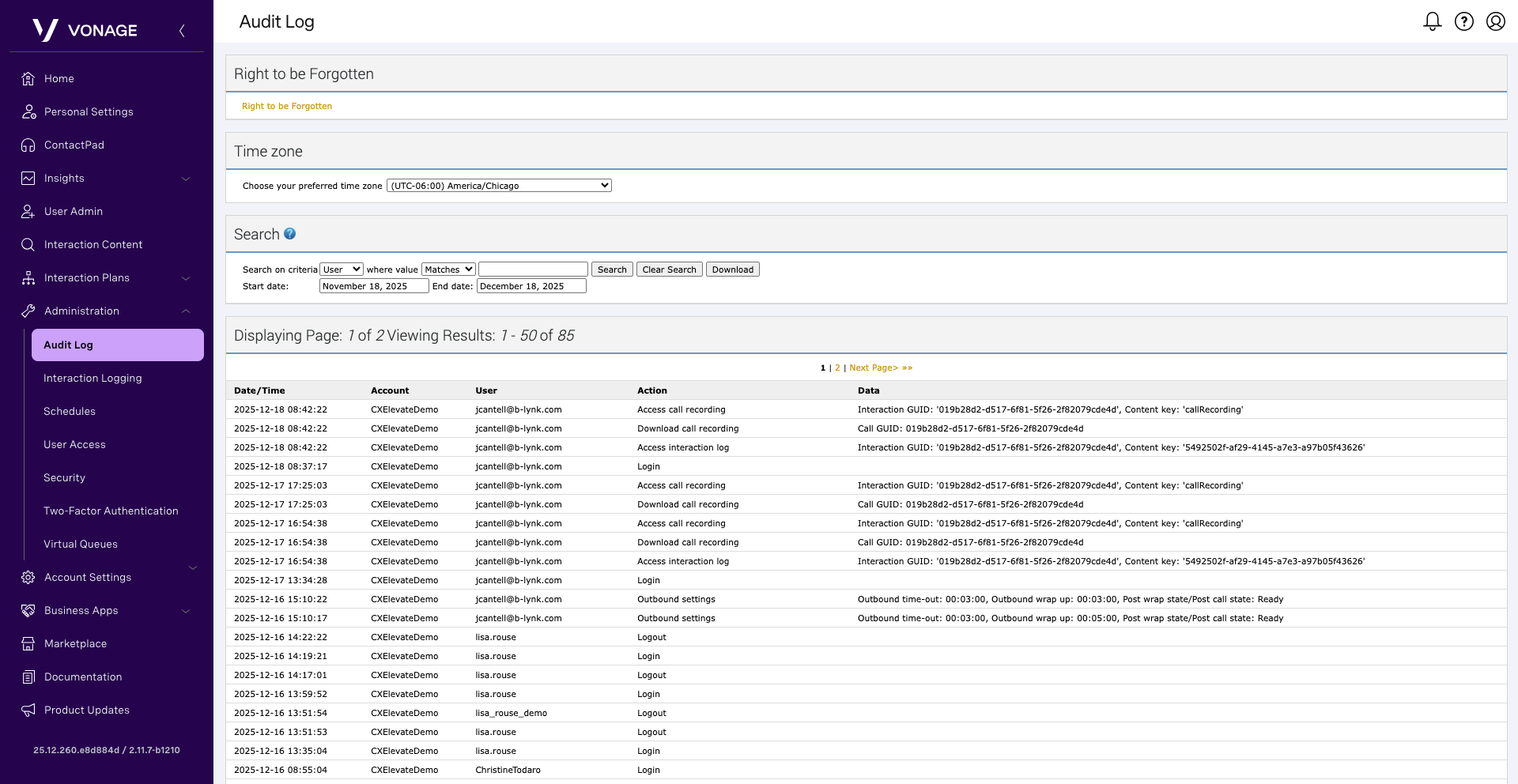
Vonage Contact Center tracks key supervisor and select agent activities—such as logging in, managing agents, and creating applets—and makes them searchable in the Audit Log within the VCC Admin Portal.
To view this activity, from the dashboard, click Administration and then select Audit Log. By default, all the tracked actions appear. Each action includes the following information:
- Date/Time – The date and time at which the user performed the action.
- Account – The Vonage Contact Center account to which the agent belongs.
- User – The name of the user who performed the action.
- Action – The action performed.
- Data – Specific data relating to the action.
You can page through the actions by clicking Next Page and Previous Page links or simply searching for the activity using the search field.
Audit Log information is retained for the same length as your contracted length for retraining call recordings.